




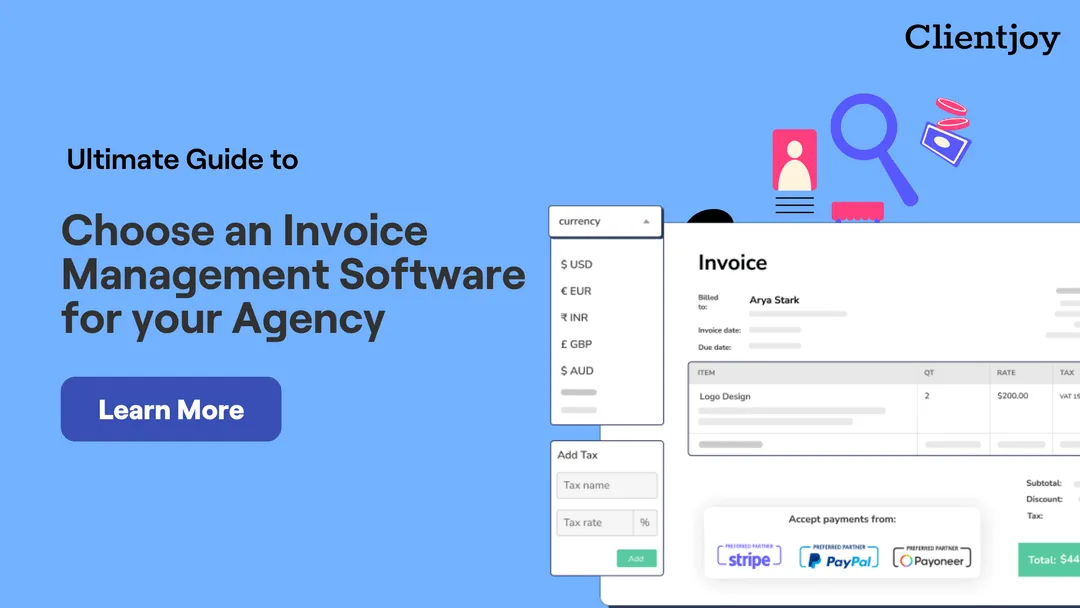

Invoicing is the part of agency life nobody started an agency for. It is also where money quietly leaks: a retainer that was never raised, a milestone invoice sent two weeks late, a client who "didn't get the email", a payment sitting in a gateway nobody reconciles. The right invoice management software fixes most of this without anyone thinking about it. The wrong one adds a second job.
This guide is short on purpose. It gives you a way to decide in an afternoon, not a quarter.
Start with how you actually bill
Before you compare tools, write down how money comes in today. Most agencies bill in three or four of these ways at once:
- Monthly retainers for ongoing work, often on a fixed date.
- Milestone or split payments for projects: a deposit up front, the rest on delivery.
- Hourly or usage-based work, billed from tracked time or a monthly count.
- One-off invoices for extras, ad spend passed through, or rush work.
A tool that handles only one of these forces you to run the others by hand, and by-hand invoicing is exactly what you are trying to stop. Your list of billing models is the first filter: if a product cannot do all of them natively, it is out.
The must-haves
Every serious option will have a list of a hundred features. These are the ones that decide whether the tool saves you time.
Recurring and split invoices. Retainers should go out on schedule without you touching them, and a project should be invoiceable as parts (say 40% now, 60% on delivery) from a single record, not as four unrelated invoices.
Multiple currencies and taxes. If you have one client abroad you need this. Currency should be set per client, taxes per invoice line, and both should stay consistent on every document that client sees.
Payment links on the invoice. The single biggest lever for getting paid faster is a button on the invoice. Look for the gateways your clients already use; Stripe, PayPal, Payoneer and regional options such as Razorpay cover most agencies.
Automated reminders. Polite, scheduled, and automatic: before the due date, on it, and after. If you want to write these by hand every month, keep your spreadsheet. If you'd rather not, see our guide to asking for money politely; the tool should send that email for you.
A client-facing portal. Clients should be able to see every invoice, its status, and pay it, without asking you for a copy. This alone removes half the "can you resend" messages.
A path from proposal to invoice. Agencies sell before they bill. When the proposal a client signed becomes the invoice they receive, nothing gets retyped and nothing gets missed. If your proposals live in one tool and your invoices in another, that handoff is where scope and price drift.
Reporting you will actually read. Outstanding, overdue, collected, and revenue over time. If you have to export to a spreadsheet to know who owes you money, the tool has failed at its main job.
Questions to ask before you buy
Ask the vendor, or find out on the trial. Vague answers are answers.
- What happens when a client pays a part of an invoice? Can we record it, and does the balance update everywhere?
- Can a client pay without creating an account?
- Can we brand the invoice and the payment page with our logo and colours, and send from our own domain?
- How do refunds, credit notes and write-offs work?
- Does it connect to our accounting tool, or will someone re-enter every invoice?
- What does it cost at twice our current client count?
If you are new to the vocabulary, our list of invoicing terms every agency should know will make these conversations shorter.
Red flags
- Per-invoice fees on top of gateway fees. Small per invoice, large per year.
- Invoices as PDFs only. A PDF cannot show a live status or take a payment.
- No audit trail. You should be able to see when an invoice was sent, opened and paid, and by whom.
- Reminders you have to trigger. That is a to-do list, not automation.
- A tool built for accountants, sold to agencies. Ledgers and journals are for your bookkeeper. You need a tool built around clients and projects.
A 15-minute evaluation you can run this week
Pick your two or three shortlisted tools and run the same test in each:
- Create a client in a foreign currency with a tax rate.
- Send them a two-part invoice: 40% due today, 60% due in 30 days.
- Pay the first part yourself through the payment link with a test card.
- Record a partial payment on the second part by hand.
- Check the client portal: is the balance right, is the status right?
- Look at the report: does it show what is outstanding without any clicking around?
The tool that gets through this without a support ticket is the one to buy. For a broader shortlist to start from, see our round-up of invoicing tools for hassle-free billing and, if you bill as a freelancer, the 12 invoicing tips that boost revenue.
Where Clientjoy fits
Clientjoy was built by agency owners for exactly this workflow. Proposals, e-signatures, split and recurring invoices, taxes and currencies per client, payment links through Stripe, PayPal, Payoneer, Razorpay and Instamojo, automated reminders, and a client portal sit in one place alongside your leads and clients. You can see how invoice management works in Clientjoy and run the 15-minute test above on a free account.
✨ Agency Universe
We are building the Worlds Largest Resource for Agencies and Freelancers that includes Templates, Tools, E-Books and a lot more.
🔔 Subscribe to the Agency Growth Newsletter
For getting weekly emails with the Best Curated resources that the Web has to offer.
Subscribe me to this Awesome-ness!
📈 Looking to Grow your Agency?
Check out Clientjoy to Manage your Leads, Proposals, Clients, Invoicing and Revenues in one Single place.



.webp)